 TrackerFinder
Spot trackers following you. Find what you've lost.
TrackerFinder detects AirTags and other Bluetooth trackers, and helps you find lost earbuds, watches and rings.
- No ads
- No subscription
- No account

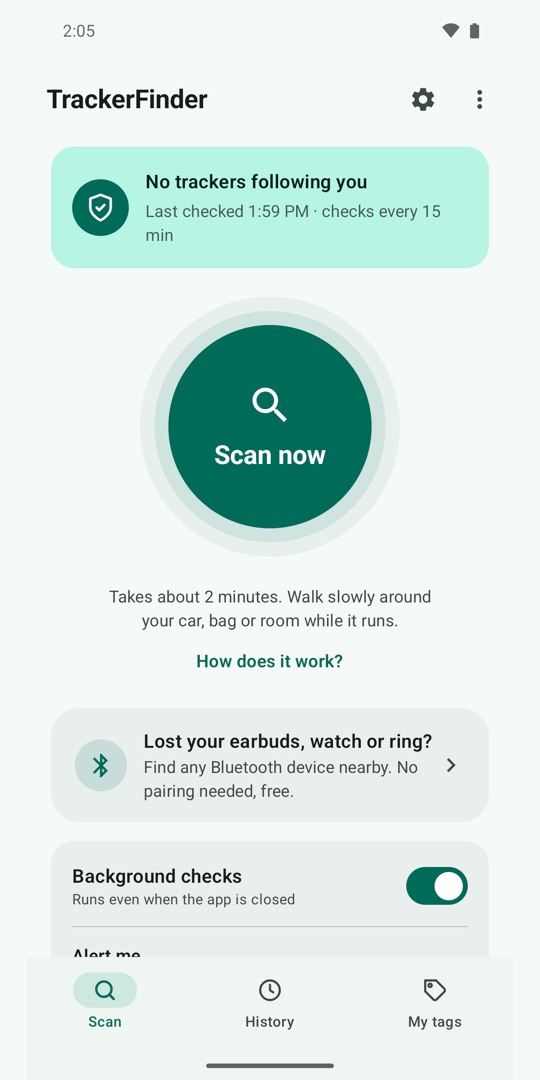
Protection and finding, in your pocket
Is a tracker following you?
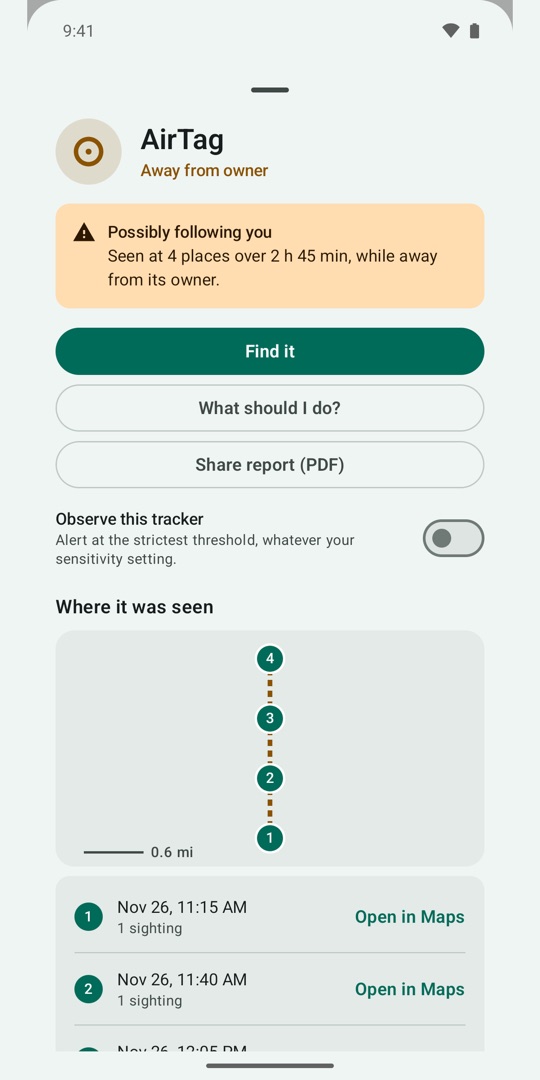
TrackerFinder checks about every 15 minutes, and when you start moving. If the same tracker turns up with you at several places, you get an alert, and the app helps you find it, make it play a sound, and decide what to do next.
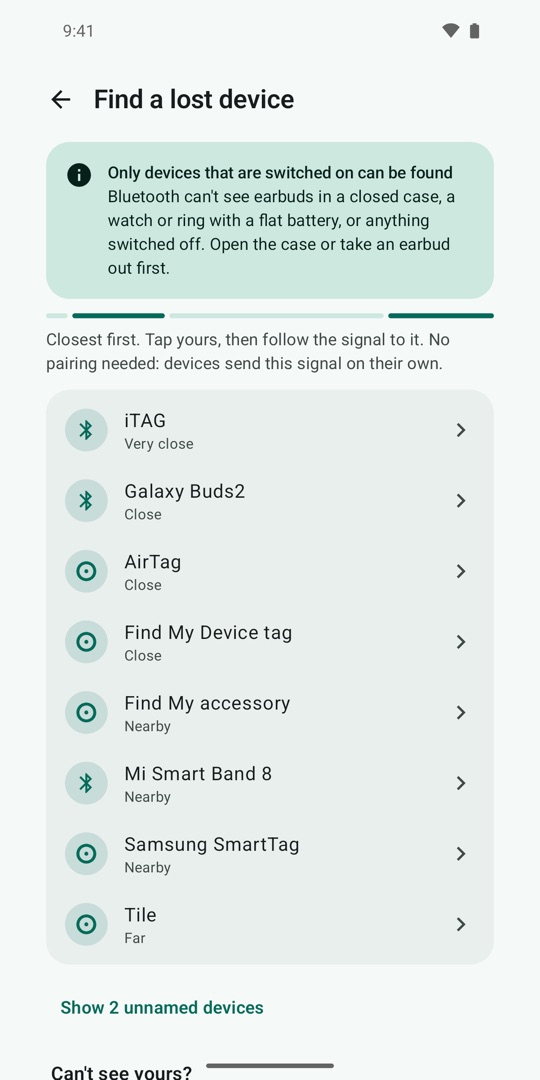
Lost your earbuds, watch or ring?
Pick it from the list and follow the signal to it, with no pairing needed. AirPods and Beats show up by name.
What it finds, and what it can't
Finds
- AirTag and other Apple Find My accessories
- Samsung SmartTag, Tile, Chipolo and Google Find Hub tags
- Simple Bluetooth key finders, like iTAG
- Earbuds, AirPods, watches, fitness bands and smart rings that are switched on
No Bluetooth app can find
- GPS trackers that report over mobile data without Bluetooth
- Anything switched off or with a flat battery
- Earbuds inside a closed case
- An AirTag near its owner, until it keeps turning up wherever you go
Everything you need to feel safe again
-
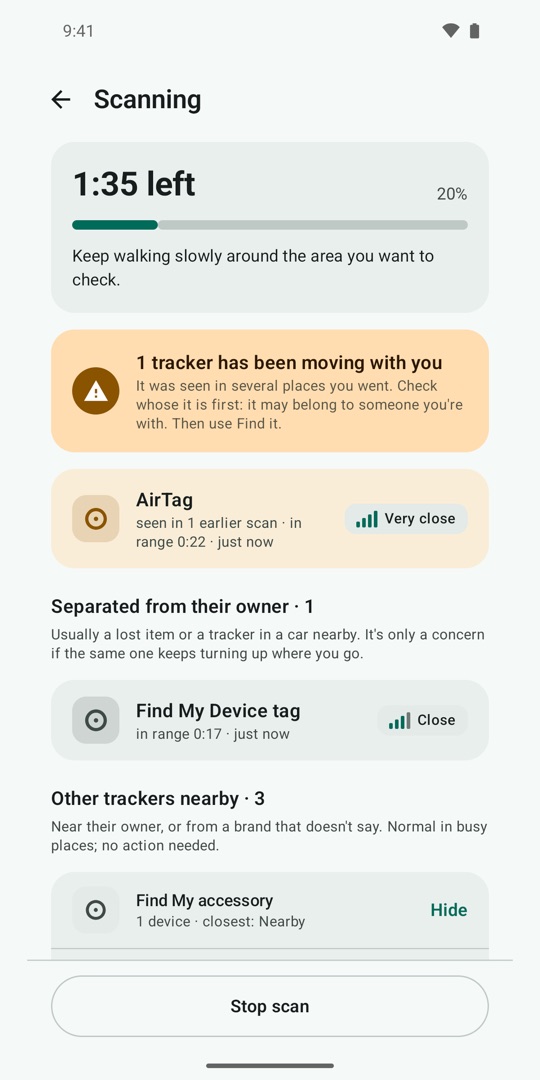
Scan nowEvery tracker around you, closest first.
-
Background checks and alertsWhile the app is closed.
-
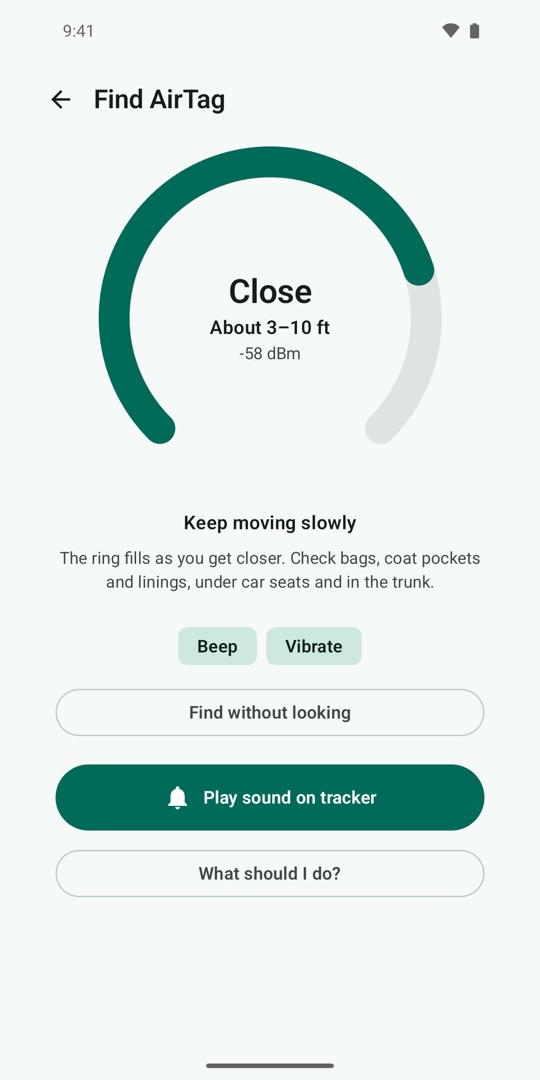
Find itA signal meter that fills as you get closer, with sound and vibration.
-
Play a soundOn AirTags away from their owner and other supported tags.
-
Mark your own tags as safeNo false alarms from your own keys.
-
Safety guides and a PDF reportTo share with people who can help.
-
Phone checkLooks for known stalkerware among your installed apps.
Free, and what Premium adds
Everything that keeps you safe is free, forever.
Free
Free forever
- Scans
- Background checks and alerts
- Finding trackers and lost devices
- Play a sound, safety guides and the phone check
- Reports
TrackerFinder Premium
US$1.99 one-time purchase
Google Play shows the price in your currency.
- My tags: where your keys or wallet were last heard, and a reminder when you leave them behind
- Ring your phone from a key finder's button; the tag beeps when you walk away
- Car check: a scan every time your phone connects to your car
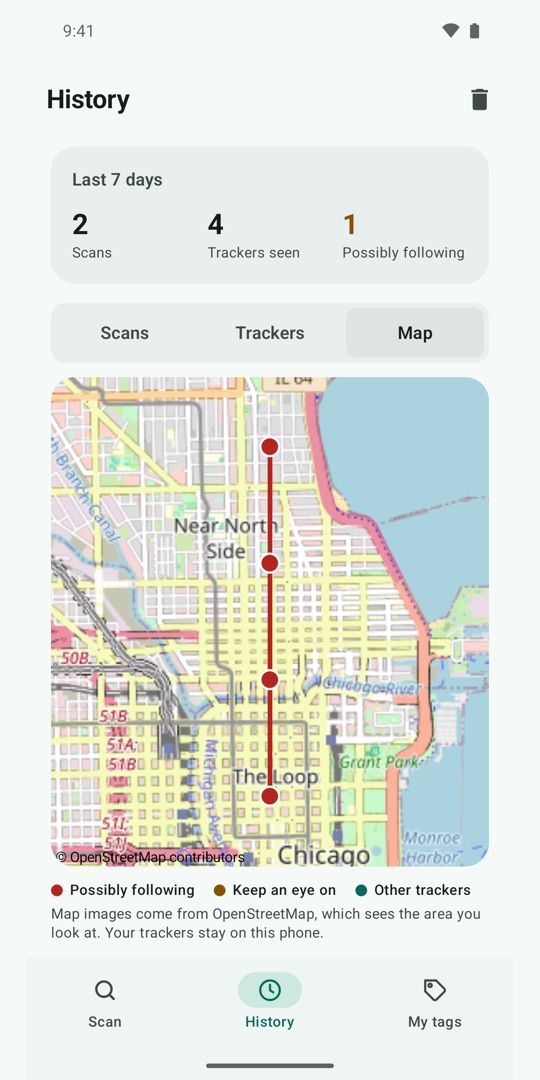
- A map of where each tracker was seen
- Longer history, a widget and quick settings tile, export and backup
No subscription. No ads. No account.
Private by design
Your history is stored encrypted on your phone, and you can lock the app with your fingerprint. There's no account, no analytics and no ads.
Read the privacy policy →If you're in danger
If you think someone is tracking you, and especially if you feel unsafe, contact the police or a local support service. Moving or destroying a tracker can tip off the person who placed it.
TrackerFinder helps you find trackers; it doesn't replace help from people who can protect you.